Event Planning
Virtual Event Planning: The Essential Guide
Considering how much opportunity is at our fingertips in our digital age, planning a virtual event has the power to connect your awesome experiences with a wider audience than ever before. But with so many options and technical considerations, it can feel overwhelming to get started. Don't worry, we've got you covered! In this complete guide, we'll walk you through everything you need to know to plan a virtual event successfully. So sit back, relax, and get ready to learn!
What is a virtual event?
Simply put, a virtual event is one that takes place online rather than in person. In recent years, they’ve become increasingly popular because of their convenience, accessibility, and affordability. Alternatively, if you do have attendees coming to your event at a physical location, a virtual event option will allow others to also join the fun (from afar). Plus, this’ll give you an extra revenue stream for your event!
4 types of virtual events
Depending on the type of event you want to host, there are tons of virtual event ideas to choose from, each with unique purposes and benefits. To help determine which is right for you, here’s four main categories that planning a virtual event could fall under:
1. Live streams
A live stream is an event streamed online for people to watch in real time from their own devices. This allows attendees to enjoy your event from the comfort of their own homes! Some examples could include live streaming an acoustic concert, an interview with a special guest, or a gaming tournament.
2. Webinars
The main purpose of a webinar is to teach your attendees something. This usually is via an online presentation with a specific goal or topic (e.g., marketing tips, leadership development, job search strategies). Participants can interact with the presenter through a chat function or asking questions live, depending on the number of attendants. On a larger scale, you could host a series of webinars and virtual networking sessions as part of a virtual conference spanning across multiple days.
3. Workshops
A virtual workshop is an interactive online session where attendees can engage, learn, and actively participate in a specific activity. Think photography classes, creative writing workshops, or even do-it-yourself home improvement tutorials. This way, participants can stretch the excitement far beyond the computer screen and personally engage with experts or instructors wherever is most convenient for them.
4. Hybrid / mixed attendance
A hybrid event is the combination of an in-person event with an option for people to attend online as well. This is ideal for events at a physical venue (e.g., theaters, concerts, panels) that want to reach an even wider audience, who might not otherwise attend due to travel distance or some other reason. This could also be an effective option to offer as overflow seating if your venue is sold out!
How to plan a virtual event (in 7 steps)
Since we’ve covered the kinds of events you could host online, now let’s dive into the nitty gritty of virtual event planning!
1. Define your goals & purpose
Knowing the reason behind your virtual event (whether to educate, inspire, or entertain) will help you make informed decisions on the various aspects of your event. For instance, if your goal is to educate attendees on the latest digital marketing best practices, you’ll want to invite speakers who are experts on this topic, like successful business people or social media influencers. Whatever your ultimate goal is, this’ll act as the GPS for your virtual event planning journey, ensuring you always stay on the right track!
2. Choose a platform
When choosing a platform, it’s important to consider the type of event you’re hosting, the number of attendees, and the features you need. For example, if you’re hosting a large virtual conference, you’ll want a platform that can accommodate a lot of attendees and has features like breakout rooms. As virtual events become more popular, there are many platforms available for event organizers to use like Zoom, Facebook, YouTube, Vimeo, and Twitch.
3. Select a date & time
To pick the perfect date and time for maximum attendance, think about the demographics of your target audience. What time zones are they mostly in? What time do they attend similar events to yours? Would they be more willing to attend your type of event on the weekend versus sometime during the week? We also recommend researching other major events or holidays that might conflict with your chosen date and time (some overlap is inevitable though).
4. Find special guests
To discover the perfect set of special guests for your event, try exploring different professional networks, online social communities, or event-dedicated speaker bureaus. Be sure to take advantage of your personal connections as well! Once you've found some possible guests, talk to them about what they'll do at your event (whether that’s speaking, giving a tutorial, performing, etc.) and how much they'll get paid. And after they’re booked, don't forget to offer them an opportunity to rehearse too, if needed! This can ensure they're comfortable with your event’s technology and ready to make an impressive appearance on the day of.
5. Create your event listing
Once you’ve got your details solidified, create a virtual event listing that’s sure to impress! With TicketLeap, you can quickly set up your ticketing page and start selling tickets in no time. Simply add in all the essential details, select the page’s colors and images to match your brand, and set up the ticket types to your virtual event. Once your page is live and you start selling tickets, you can send them an email directly from our platform with the link to your stream and any access code required that offers an extra layer of exclusivity to your online experience.
6. Create an agenda & other resources
You’ll want to put together a clear agenda of all your activities to keep yourself organized and help your attendees know what to expect. Depending on how long your virtual event is, be sure to allot time for breaks too! As helpful guides for your attendees, you’ll also want to prepare any needed materials like slide decks, handouts, and other visual aids (especially if you’re doing a workshop or webinar). By providing helpful resources, you'll be able to ensure that everyone has a smooth experience and gets the most out of your online event.
7. Spread the word!
Your virtual event’s all set – now it’s time to get the word out there! Post about your upcoming event across social media and send targeted email invitations to prospective attendees. Be sure to highlight all the reasons they’ll love your virtual event, such as easy access to high-quality speakers or virtual front-row seats to a performance. Then, once attendees register, keep in touch by emailing them reminders, updates, and resources to get them excited for your online event!
What to do once you’re done planning a virtual event
Congrats! You successfully planned a virtual event, but the work doesn’t end there. Once you’ve put on your online event, send a heartfelt follow-up email to express your gratitude to your attendees and get their valuable feedback through a post-event survey. By analyzing this feedback, you can learn what they enjoyed the most, where you can improve, and how to make your next virtual experience even better. Let's not forget to share those incredible event moments (photos, videos, and memorable quotes from special guests) across your social media channels, emails, and blog posts!
Now that you’re a pro at planning a virtual event, you need an easy-to-use platform like TicketLeap that can launch your virtual event ticket sales in minutes! With TicketLeap by your side, you’ll create, manage and promote your tickets with ease.
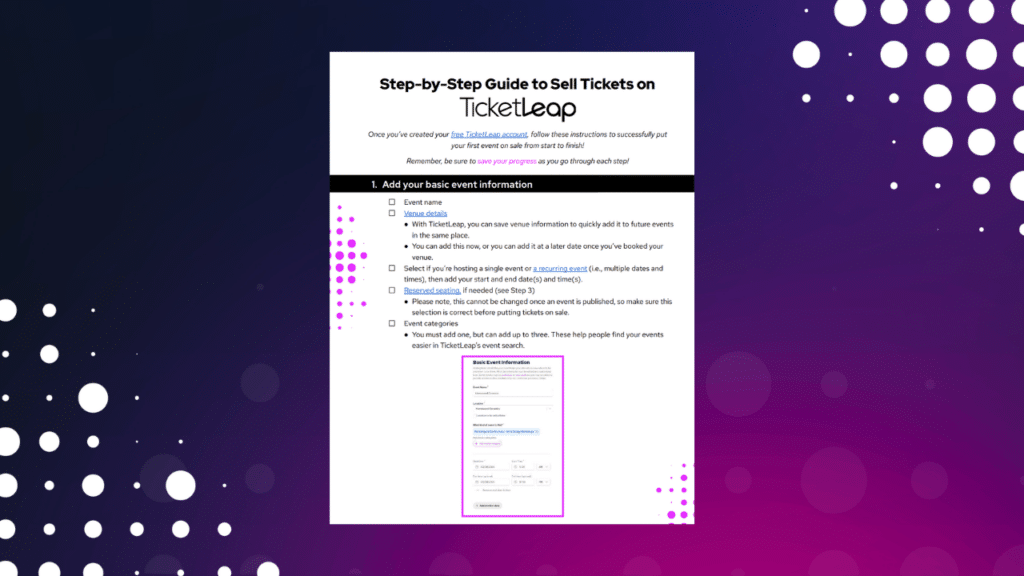
Your Ultimate Checklist for Selling Tickets Online

Stay Ahead With Our Latest Event Articles Delivered Straight to Your Inbox
Subscribe today to elevate your event planning game!
Receive exclusive insider tips on how to:
- Plan a successful event
- Maximize your ticket sales
- Optimize your marketing campaigns
- Ensure your event day runs smoothly